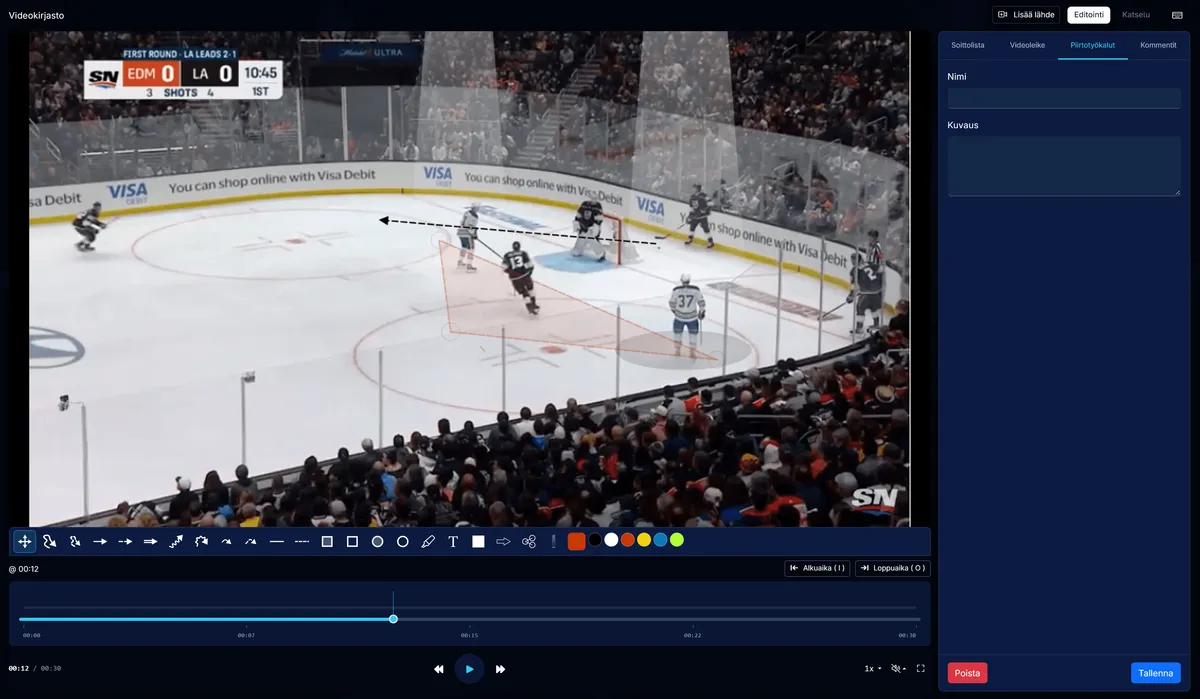
The latest CoachTools update makes it easier to work with video, plan practices, and prepare for games. The video editor has received a major interface update, practice plans can now be exported as PDFs, and videos can be added to game plans. The update also introduces game roster selection and improvements to finding video clips and monitoring individual player wellbeing.
Redesigned video editor
The video editor interface has been redesigned to make reviewing game situations, creating clips, and drawing on video more intuitive.
Viewing and editing modes make the workflow clearer. In viewing mode, the video has more space, while editing mode gives you access to the clipping and drawing tools. Working in full screen has also been improved: the editor’s tools and save controls remain available.
The I and O keyboard shortcuts speed up clipping by letting you mark the start and end of a clip. You can save the active clip or drawing with Ctrl/Cmd + S.
The aim is to make video analysis a natural part of coaching: pick out a relevant moment, illustrate it with a drawing, and review it with your players.
Find the right video clip faster
You can add tags and link players to video clips. This makes it easier to return to a particular player’s situations or clips with the same tag.
Clip search helps you find situations by name, tags, and players. Browsing the video library is also clearer, with separate views for videos, collections, and clip search.
Whether you are preparing for a feedback discussion with a player or gathering examples of a particular game situation for the team, it is easier to find the clips you need again.
Take your practice plan with you as a PDF
You can now export your practice plan as a PDF and print it. The structure of the plan and the drill content are available on paper, too.
A PDF is useful when you want a printed plan at practice, need to share it with the coaching staff, or prefer to follow it without repeatedly opening a device. The print layout has also been made more compact and clearer, so the plan is easy to follow during practice.
Add videos to your game plan
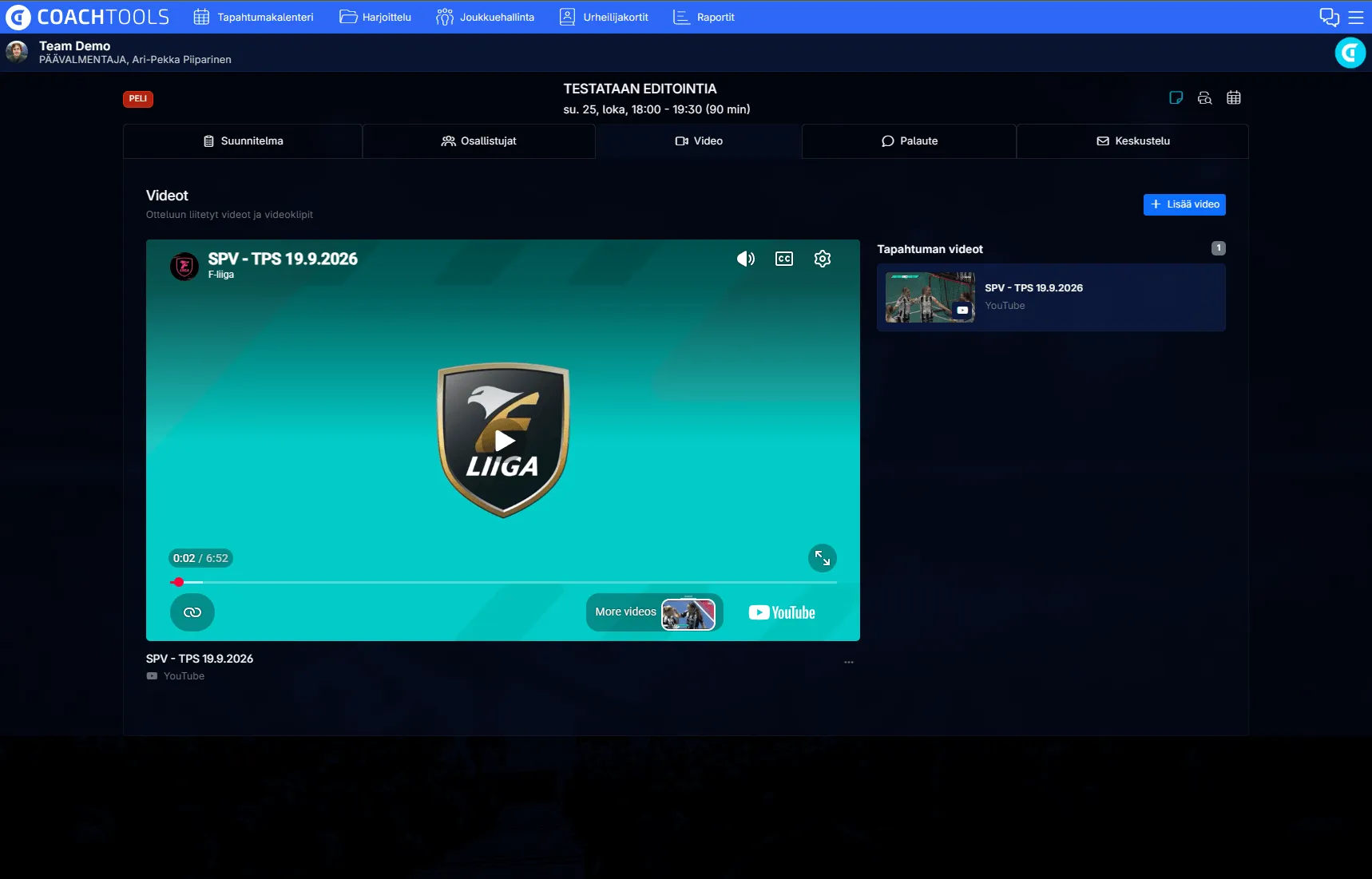
The new Videos tab in the game plan brings game-related videos and clips together with the rest of the plan.
You can include a video illustrating how an opponent plays, situations from your team’s previous game, or an instructional video to support preparation. You can also add YouTube and Vimeo videos using a link.
The video material stays linked to the game and is easy to find both during preparation and when reviewing the game afterwards.
Select your game roster
You can now include the whole team in a game or select individual players. Player groups and options to select all players or clear the selection make the process easier.
This supports teams that use different rosters for different games.
You can now select the players taking part as part of planning the game.
A more detailed view of player wellbeing and feedback
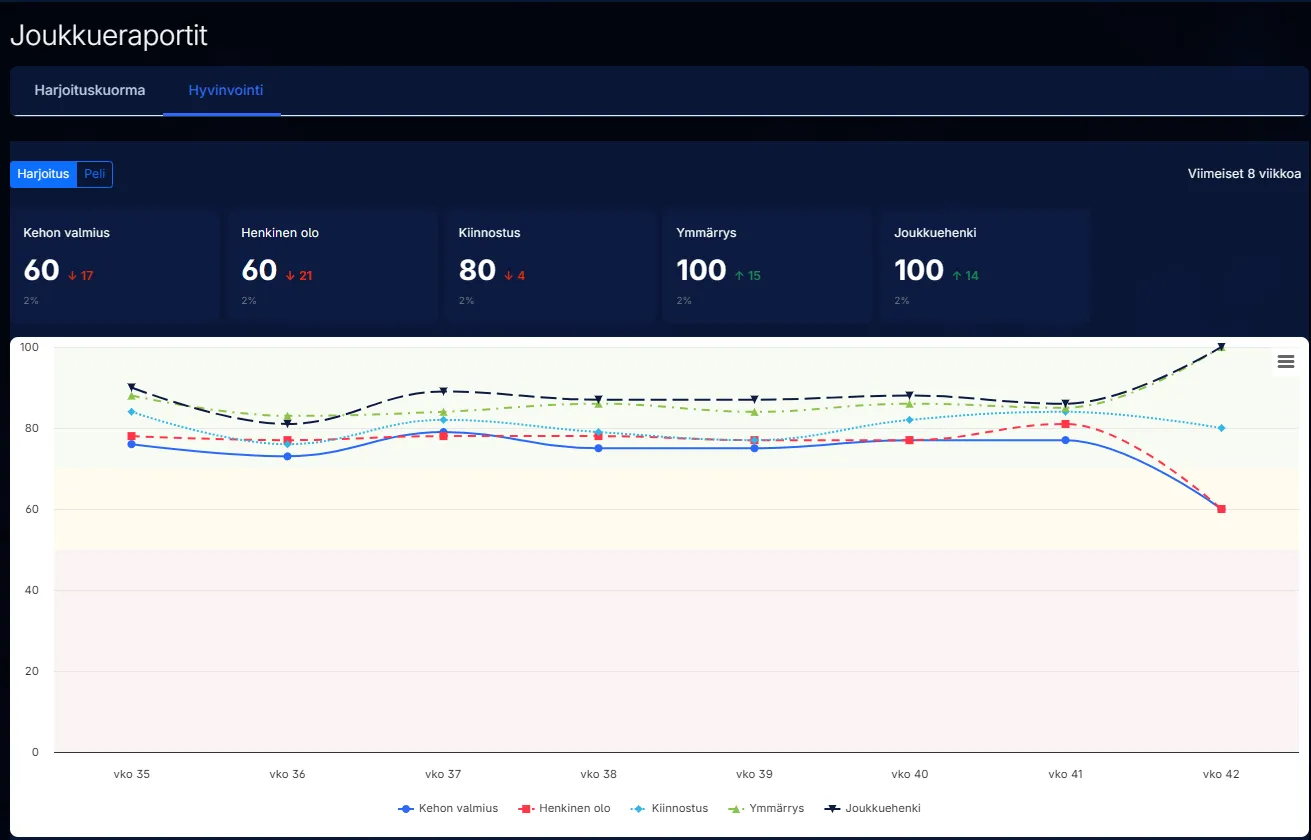
In the wellbeing report’s player table, you can choose the metric you want to review. This allows the same view to support different coaching needs and helps you examine players’ responses from the last eight weeks.
For practices, the default metric is physical condition; for games, it is performance. Switching metrics lets you focus on the feedback that matters most at that moment.
Missing data is now presented more clearly, as are report loading states and errors. The reliability of saving feedback has also been improved.
The update is now available. Try the new features at your next practice or game and let us know what makes your coaching easier. Your experiences help shape the development of CoachTools.
Plan, Care, Succeed.